Ultimate Freeze Tag: Illustrated Gameplay Guide
Follow four real gameplay screenshots from casting a spell to reading your final score. Learn the controls, recognize the referee, stay in bounds, and save a result for the community leaderboard.
Before you start: focus the game and learn two controls
Wait for the loading bar to finish, then choose Start in the game. Click inside the game window before using the keyboard. You play as a wizard trying to freeze contestants before time runs out; this is a single-player game, with its own rules separate from playground freeze tag.
- Move
- WASD / ↑ ↓ ← →
- Cast Cone of Cold
- Z / Space
The original supports a keyboard or gamepad. There are no on-screen touch controls. If a key does not respond, click the game again. Use the site’s Fullscreen button for more room; move to the bottom edge to reveal the exit toolbar, or press Escape.
01 / CAST AND OBSERVE
Read the spell effect and keep an eye on the timer
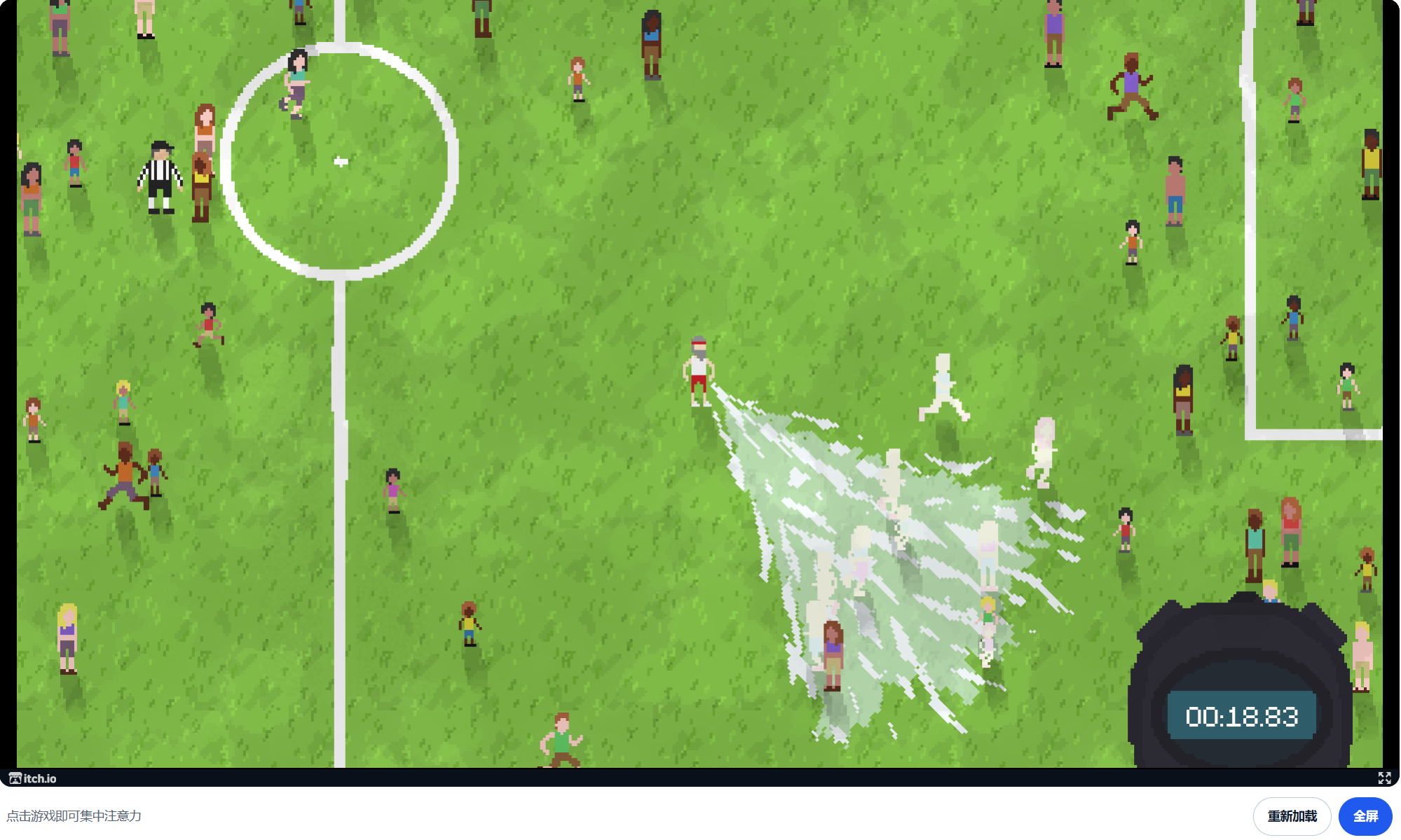
The first screenshot shows a pale, fan-shaped spell effect across the pitch. Several figures within it appear pale or white. Use this visual feedback to see where your spell is reaching, then move toward contestants who are still unfrozen.
The lower-right stopwatch reads 00:18.83 in this frame. It shows the remaining time for the current round. Glance at it as you move: with little time left, nearby targets are usually a more practical choice than a long trip across the field.
02 / CHOOSE YOUR POSITION
Look for unfrozen contestants and leave room around the referee
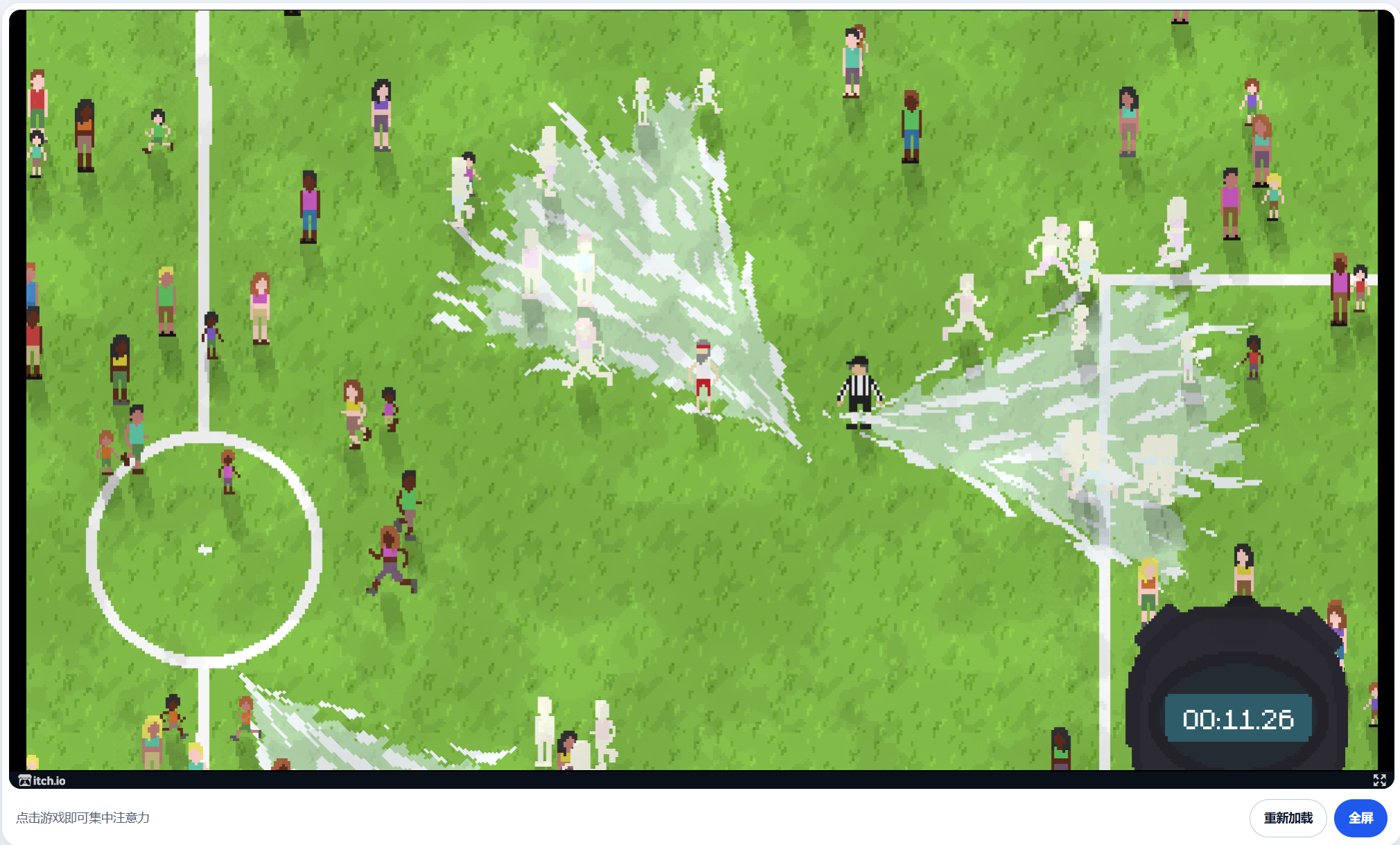
The second screenshot shows several pale spell effects and a referee in a black-and-white striped shirt near the center-right. The stopwatch has reached 00:11.26. As the field becomes busier, check both your next target and the characters around it before casting.
Freezing the referee can end a run: the game displays a message saying the referee was frozen. Keep some distance and reposition when the referee is near the area you want to target. Reaching a larger group is useful only if you can cast without catching the referee.
- Choose a nearby unfrozen group instead of repeatedly casting into an area that already looks frozen.
- Use short movements to adjust your position; reassess the scene after each cast.
- Stay inside the playing area. The center circle and halfway line are internal field markings, not the outer boundary.
03 / STAY IN BOUNDS
Crossing the field boundary automatically ends the run
Your run can end before the timer reaches zero. Stay inside the playing area when chasing contestants.
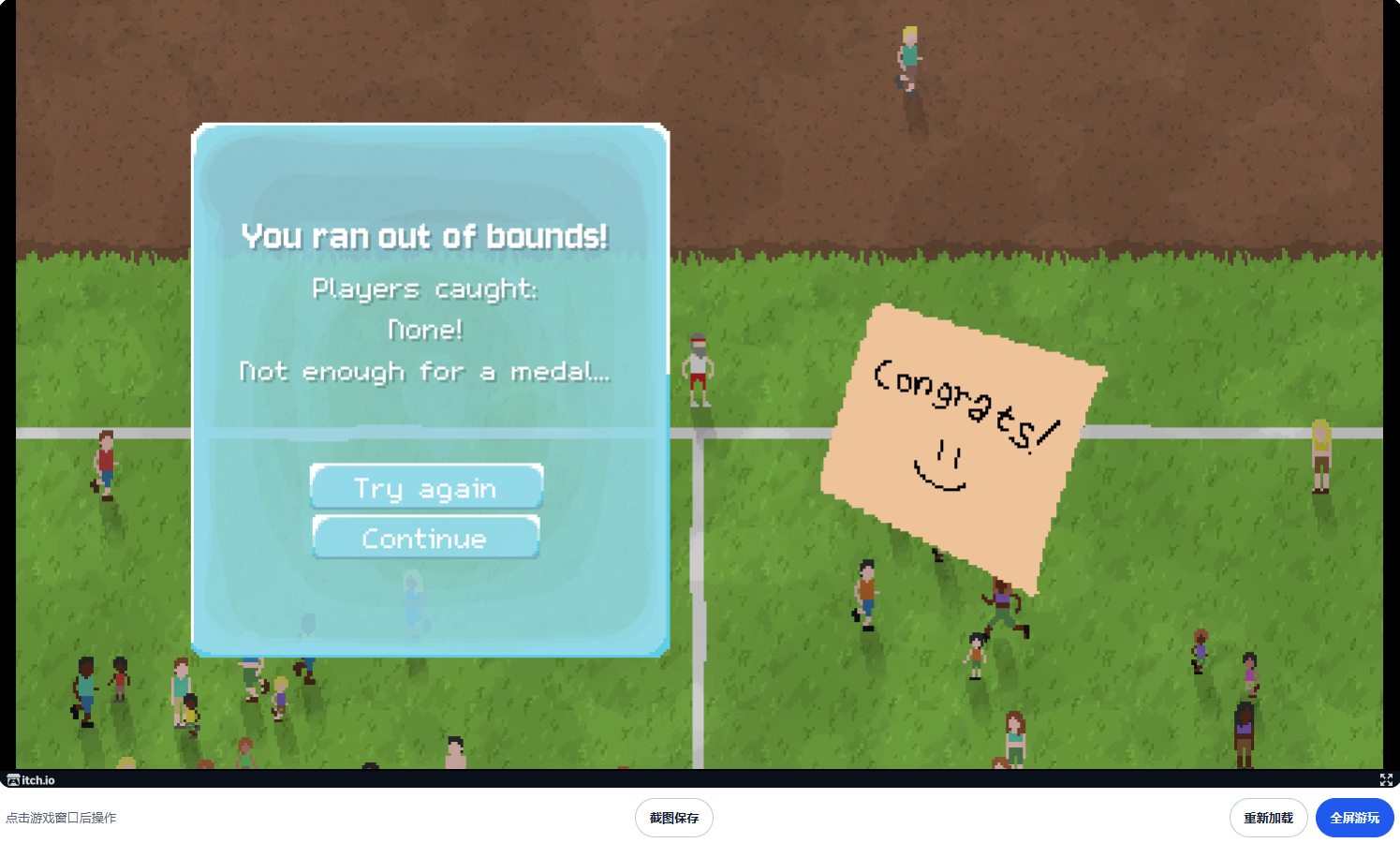
This screenshot shows You ran out of bounds! and Players caught: None (no contestants caught). That is an automatic out-of-bounds result. Watch the outer field boundary and turn back toward the center before crossing it.
- Look ahead at the field edge before following a fleeing contestant.
- Leave yourself room to turn; choose a target farther inside the field when necessary.
- Save the result before choosing Try again or Continue.
04 / READ YOUR RESULT
An out-of-bounds result: 42 contestants caught out of 200
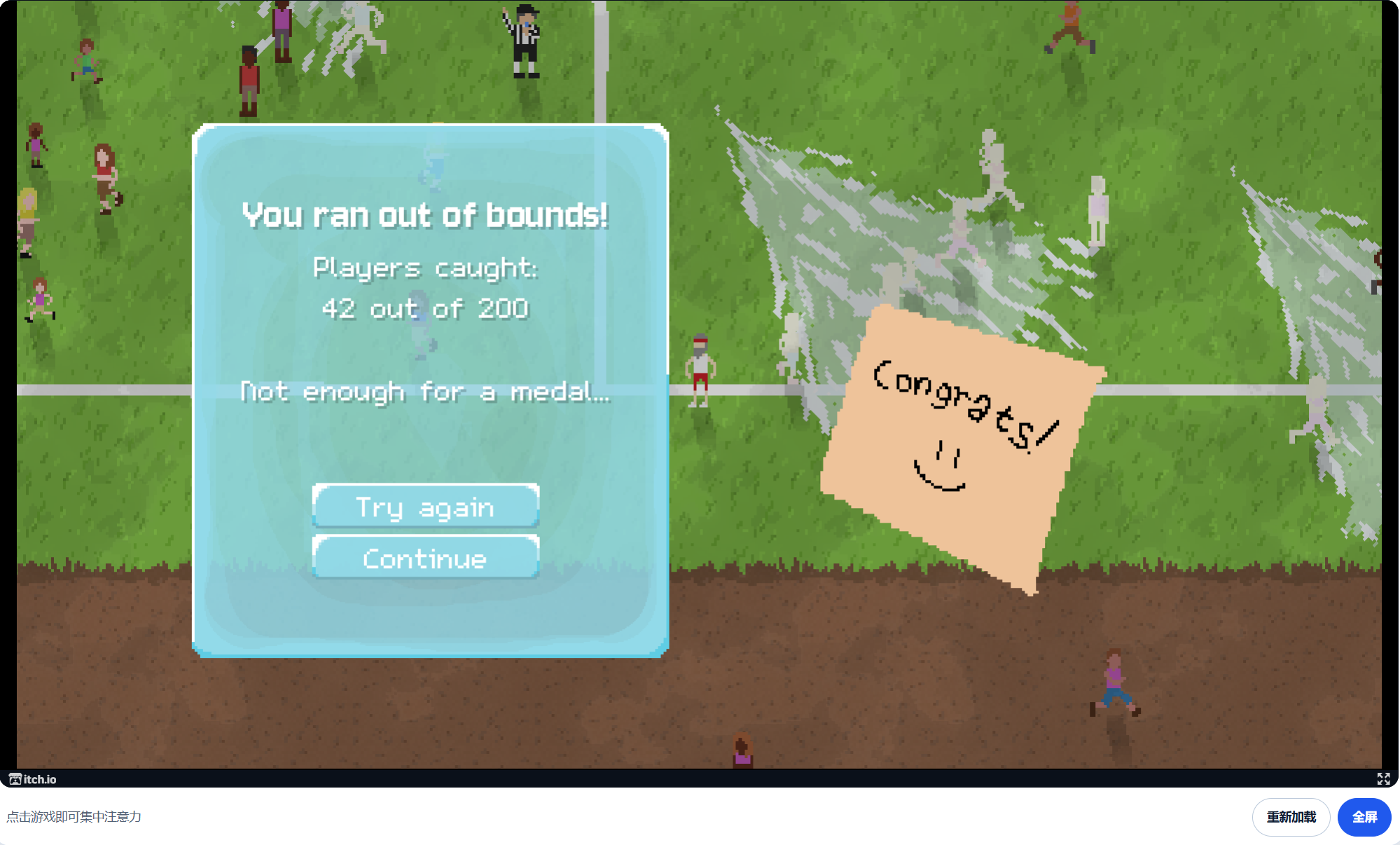
The fourth screenshot reports that the player ran out of bounds. Moving beyond the playing area can end your run even if you are still catching contestants. When you get near the edge, turn back toward the interior rather than following a target out of the field.
| Result label | What it means |
|---|---|
| You ran out of bounds! | The run ended because you left the playing area. |
| Players caught: 42 out of 200 | You caught 42 contestants from a total of 200. For this result, submit a score of 42. |
| Not enough for a medal… | This run did not earn a medal. Use the game’s result to judge medals; this screenshot does not establish the thresholds. |
| Try again / Continue | Try again lets you retry. Save your result screenshot before choosing either button and leaving the result screen. |
Save the result and submit it to the community leaderboard
Use Screenshot in the game toolbar, select this website’s tab in the browser prompt, then preview and save the PNG. In fullscreen, move to the bottom edge to reveal the toolbar. If direct capture is unavailable, the button shows system screenshot instructions. Saving does not upload your image.
- Capture the full result panel, including Players caught and the total of 200. A gameplay screenshot without a final score is not a result screenshot.
- Open the community leaderboard, choose a public nickname, and enter the number caught. In the example above, enter 42, not 200 or 158.
- Upload your own result screenshot, check that it contains no private information, confirm the submission statement, and submit for review.
- Use Check status to follow your submission. Your nickname, score and result screenshot appear publicly after the site owner approves them. The site does not automatically read a score from the embedded game.
The leaderboard covers results from the 200-player format. These guide images are examples, not submissions on your behalf.
About this guide
The controls and game objective were checked against Lisierre’s original game page. The four screenshots supplied by the site owner illustrate spell effects, positioning, the field boundary, and final results. Positioning advice is a practical suggestion; it does not guarantee a medal or a particular score.
Original game and controls — Lisierre
Guide checked: October 8, 2026. Game and image rights belong to their respective creators.